
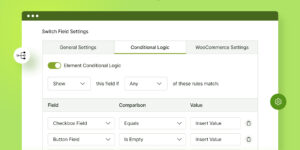

Uncanny Automator Pro 6.7.0.3
Original price was: $25.00.$3.50Current price is: $3.50.
Description
Uncanny Automator is a powerful no-code automation plugin for WordPress that helps you connect different plugins, apps, and websites to create smart workflows. Using simple “recipes,” you can set a trigger—like a user purchasing a product or submitting a form—and then choose what actions should follow automatically.
It works seamlessly with popular plugins such as WooCommerce, LearnDash, Contact Form 7, and membership tools, and even connects with external apps like Google Sheets through webhooks. The plugin makes it easy to schedule actions, apply conditions, and manage tasks without writing any code.
With features like unlimited recipes, detailed logs, and wide integration support, Uncanny Automator saves time, reduces manual work, and helps automate everything from email notifications to data syncing. It is ideal for eCommerce stores, LMS websites, membership platforms, and anyone looking to streamline their WordPress workflow.
- All of our products are 100% genuine and authentic. We never deal with cracked or nulled versions. All products can be updated directly from your WordPress dashboard. In case you face any issues, you can reach out to us via chat support or email.
- Lost your downloaded product?: All your products are stored under My Account > Downloads. You can log in to your account and download them again.
- Lost your license key?: If you have lost your license key, please raise a ticket in our support system.
- HTML & Joomla CMS Users: We provide a separate Google Drive download link. After your purchase, the product will be sent directly to your email.
- License Keys: Products that come with an activated license key do not require a separate key. A separate license key is provided only for products that need it.
- PHP Errors: If you face any PHP errors while installing a WordPress item, make sure to update your PHP version. Some items require the latest PHP version and may not run on older versions.
- How can I resolve the “style.css missing”error when uploading a WordPress theme?: If you get a “style.css missing” error while uploading a theme, it means you’ve likely uploaded the wrong ZIP file. Most themes come in a package that includes extras like documentation. To fix it, first unzip the main downloaded file and look for the actual theme ZIP inside (usually named after the theme). Upload only that inner ZIP file via Appearance > Themes > Add New > Upload Theme in your WordPress dashboard.
SUMMER SALE – Use coupon code FMXA52K5 to get an instant 30% discount!
Valid until 30th August. The offer applies to all memberships, including Bronze, Silver, and Gold.